We've created easy-to-follow IPTV installation guides for your favorite devices.

Our IPTV Germany subscription is compatible with a wide range of devices that support app downloads, including Smart TVs, smartphones, tablets, MAG Boxes, PCs, Macbooks, Apple TVs, Android TVs, and more. We’ve prepared device-specific tutorials to simplify the installation of your IPTV subscription on your device.

The following guide will show you how to install 8K Player Plus Player for free on Firestick, Fire TV and Android TV Google TV devices.

We provide a screenshot guide along with setup instructions and tips to help you get the most out of it on your favorite device.

The app alone does not contain live channels for streaming, however, users can request a Free 24h test from us via WhatsApp by clicking here


Step 1 – Prepare your streaming device

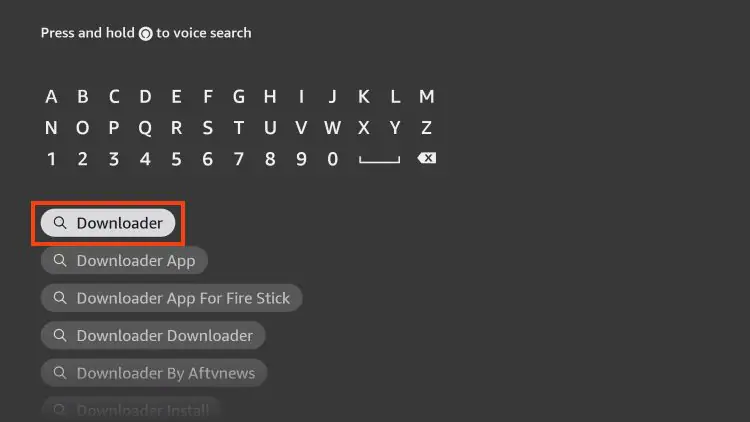
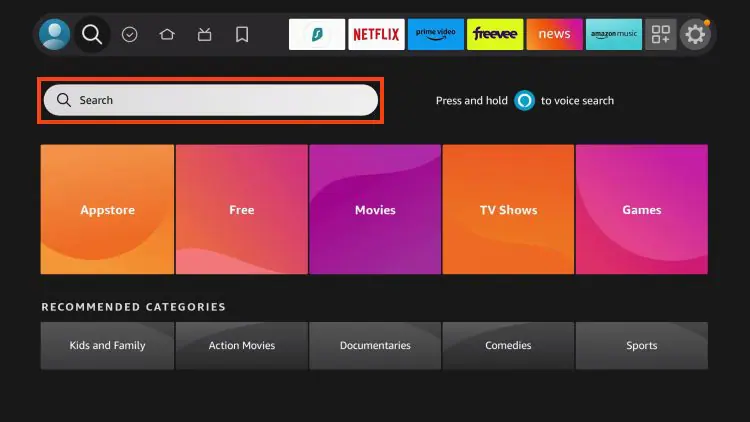
1.  From your device’s home screen, hover over the Search button, and then click the Search box.
prepare firestick android tv for TiviMate IPTV Player 1.jpg

2.  Find and select Downloader .

prepare firestick android tv for TiviMate IPTV Player 2 install iptv Smarters Pro code downloader

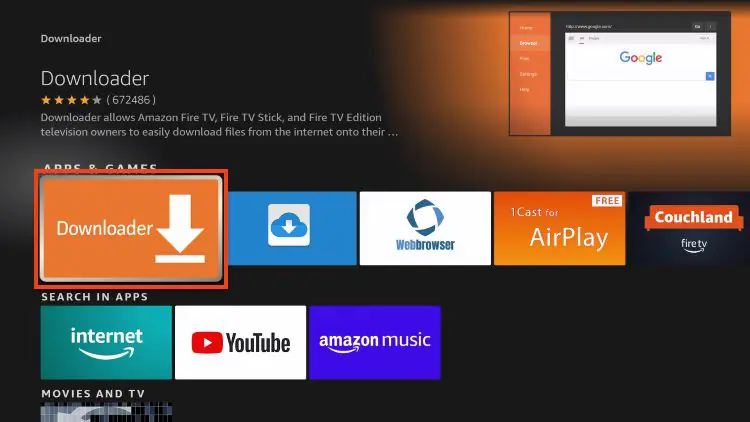
3.  Choose the Downloader app.

install iptv Smarters Pro code downloader how install

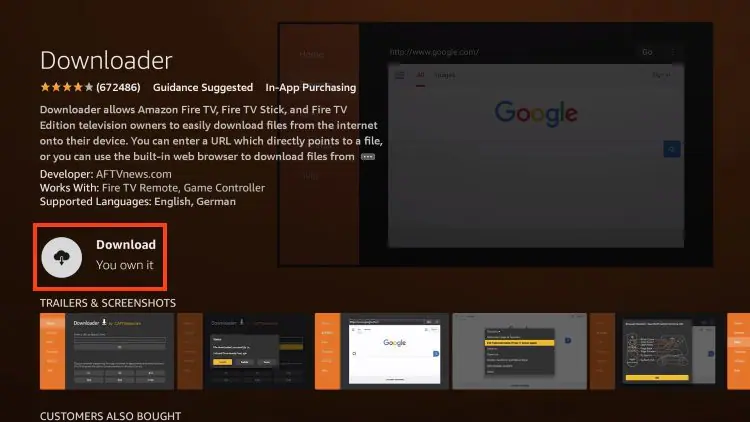
4.  Click Download or Get if the application is not yet downloaded. If you have already installed the Downloader application, go directly to step 2
prepare firestick android tv for TiviMate IPTV Player 4 install iptv Smarters Pro

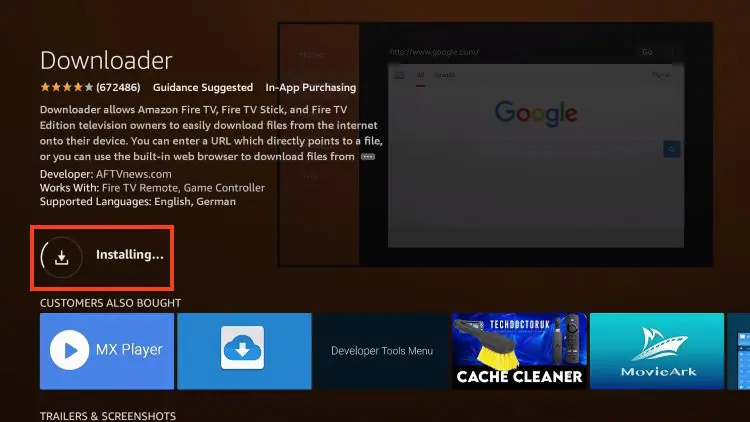
5.  Wait for the app to install.

prepare firestick android tv for TiviMate IPTV Player install iptv Smarters Pro code downloader

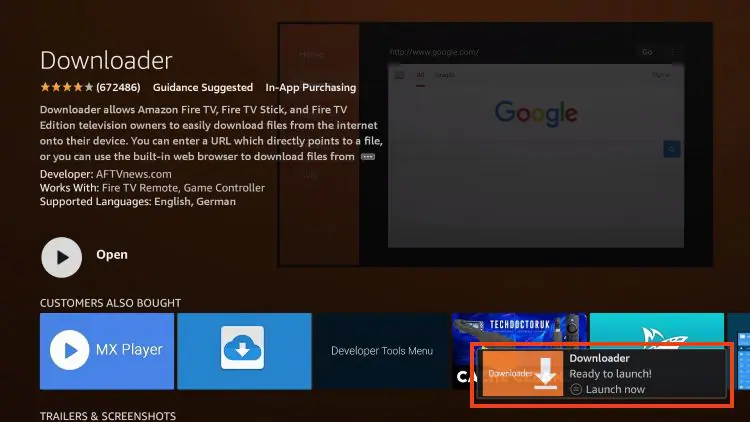
6.  You will get the message   Downloader Ready to launch!
install iptv Smarters Pro code downloader how


Step 2 – Allow Downloader to install the IPTV 8K Player application

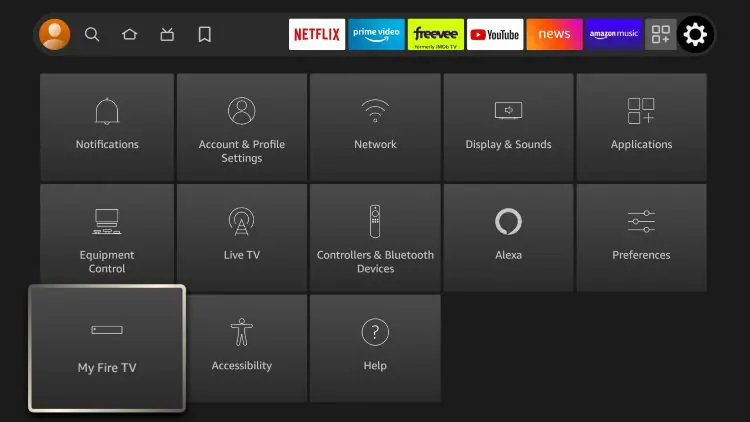
1.  Return to the Home screen to hover over Settings and click My Fire TV.
developer options setting removed by amazon 3 install iptv Smarters Pro code downloader

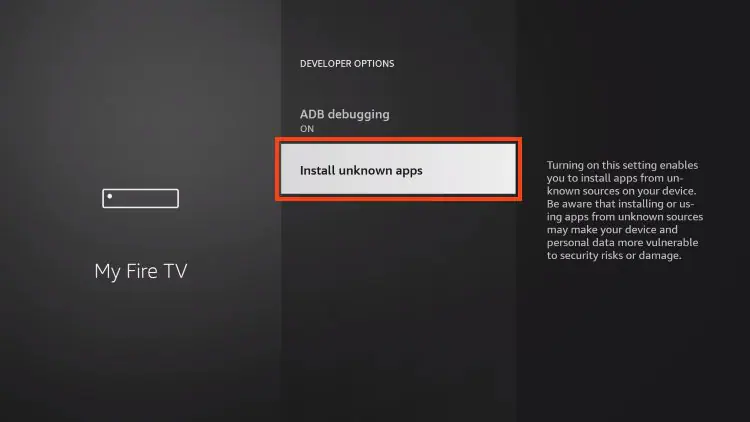
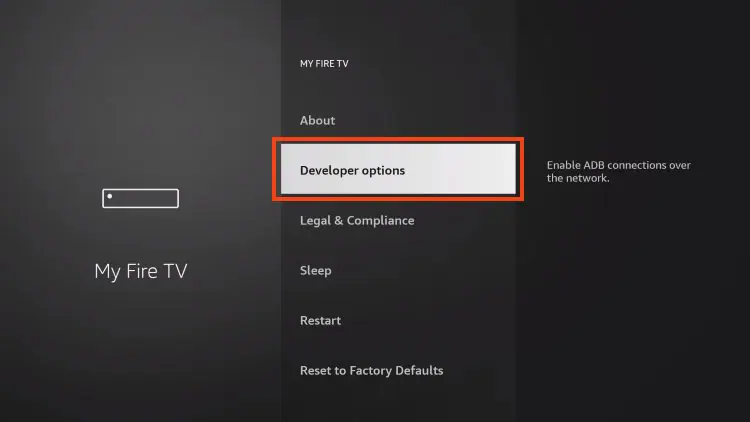
2.  Choose Developer Options.

IMPORTANT:  Please see the notes below if you do not see the developer options on your screen.
install iptv Smarters Pro code downloader test

3.  Click Install unknown apps.

install iptv Smarters Pro code downloader unkown

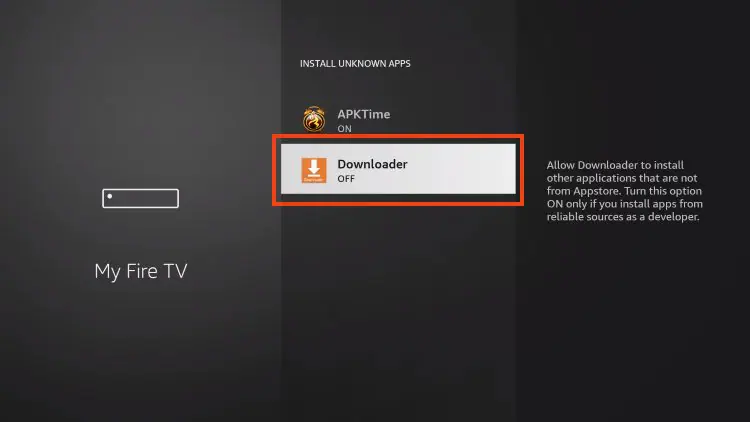
4.  Find the Downloader app and click on it.
install iptv Smarters Pro code downloader onprepare firestick android tv for TiviMate IPTV Player 10.jpg

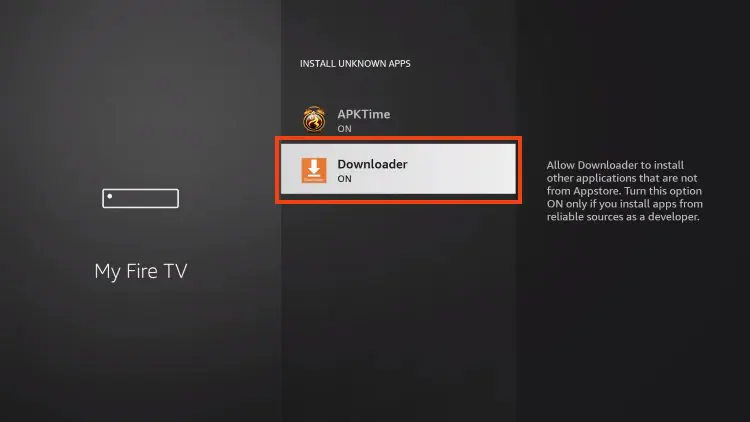
5.  This will enable unknown sources for the Downloader app and enable sideloading on your device.
install iptv Smarters Pro code downloader prepare firestick android tv for TiviMate IPTV Player 11.jpg

If Developer Options were not available in step 2 follow the next steps. otherwise go to step 3

If you are unable to locate Developer options in Settings, follow the instructions below to enable using the Downloader app.

1.  Mouse over the Settings icon and click  My Fire TV  .

developer options setting removed by amazon 3 install iptv Smarters Pro code downloader

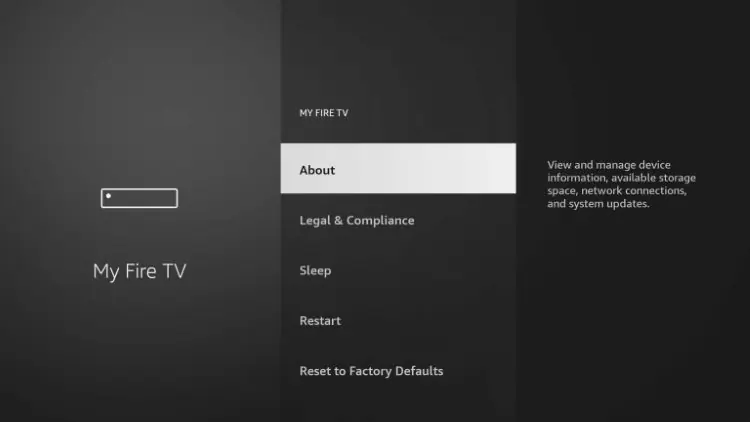
2.  Click  About  .

Note:  Note that the developer options are missing.
developer options missing on firestick 2 install iptv Smarters Pro code downloader

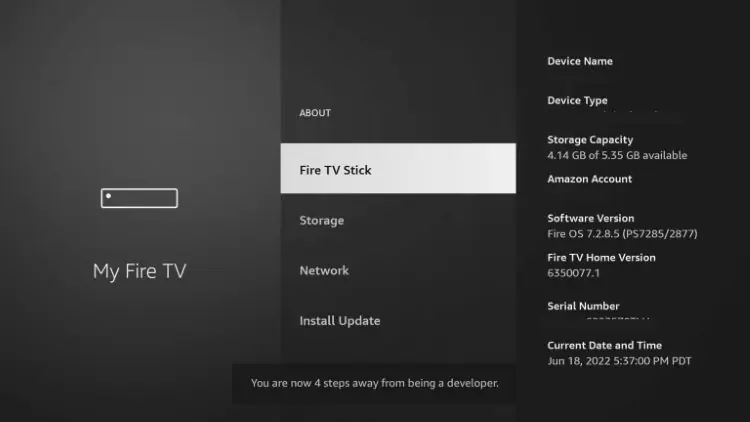
3.  Hover over  Fire TV Stick and click  the OK button on your remote 7 times to become a developer.
developer options missing on firestick 3 install iptv Smarters Pro code downloader

4.  Click the Back button on your remote and you will notice that Developer Options are now displayed in My Fire TV.

install iptv Smarters Pro code downloader test

5.  Click Install unknown apps.

install iptv Smarters Pro code downloader unkown

6.  Find the Downloader app and click on it.

install iptv Smarters Pro code downloader onprepare firestick android tv for TiviMate IPTV Player 10.jpg

7.  This will enable unknown sources for the Downloader app and enable sideloading on your device.

install iptv Smarters Pro code downloader prepare firestick android tv for TiviMate IPTV Player 11.jpg

Now that I have properly prepared my Firestick, it’s time to move on to the next step.


Step 3 – Download and Install IPTV TiviMate 8K Player

1.  Launch the Downloader app.

install iptv Smarters Pro code downloader how install

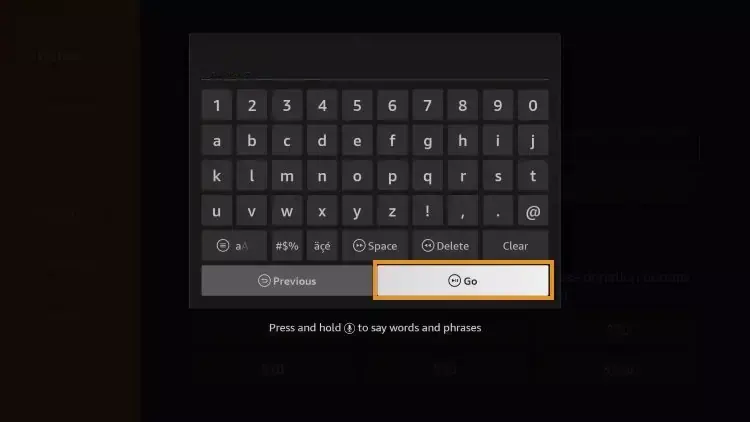
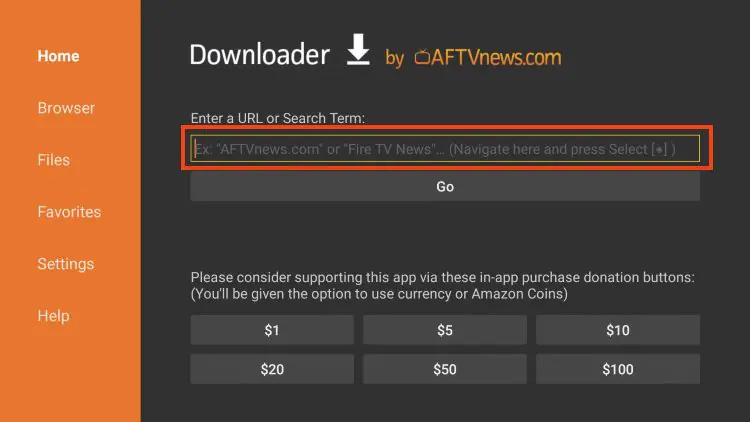
2.  Hover over the URL bar and click the select button on your remote
how to install tivimate 2.jpg

Write these numbers

1240465 
or
http://aftv.news/1240465

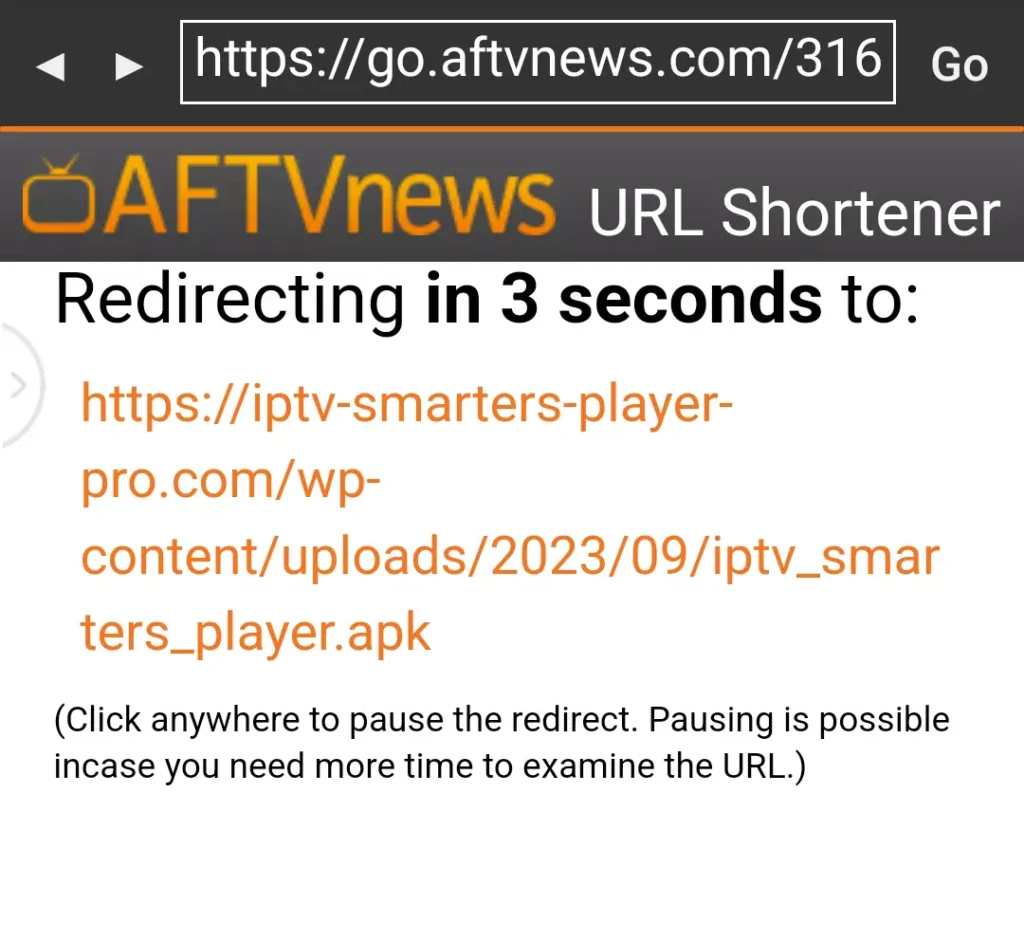
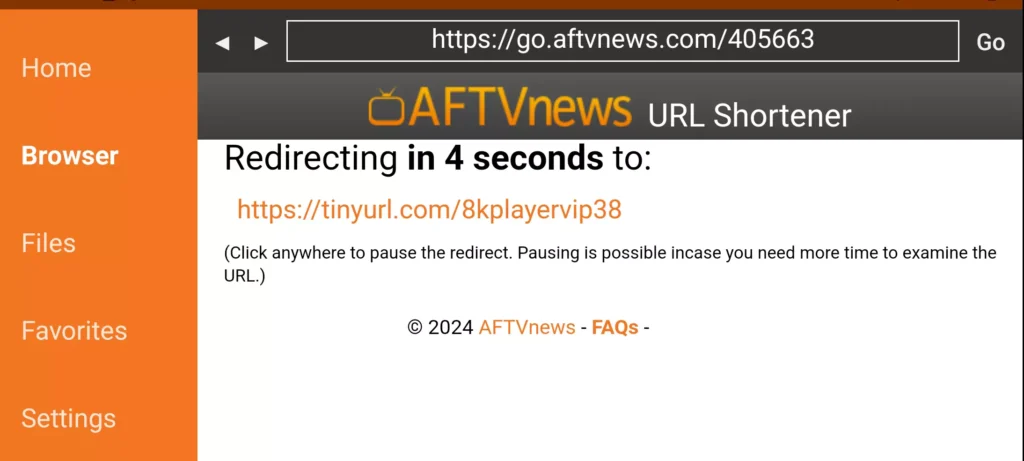
4.  You will then encounter a redirect page. wait 6 seconds if the download does not start click on the link

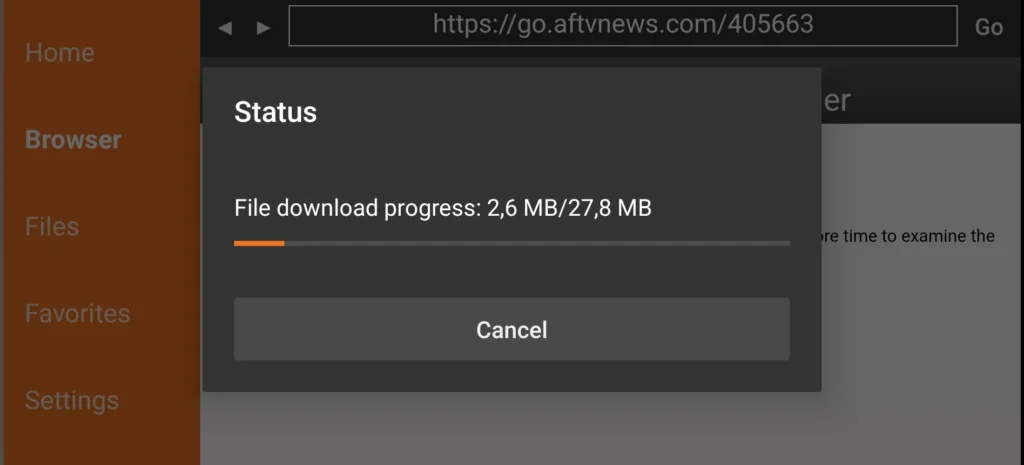
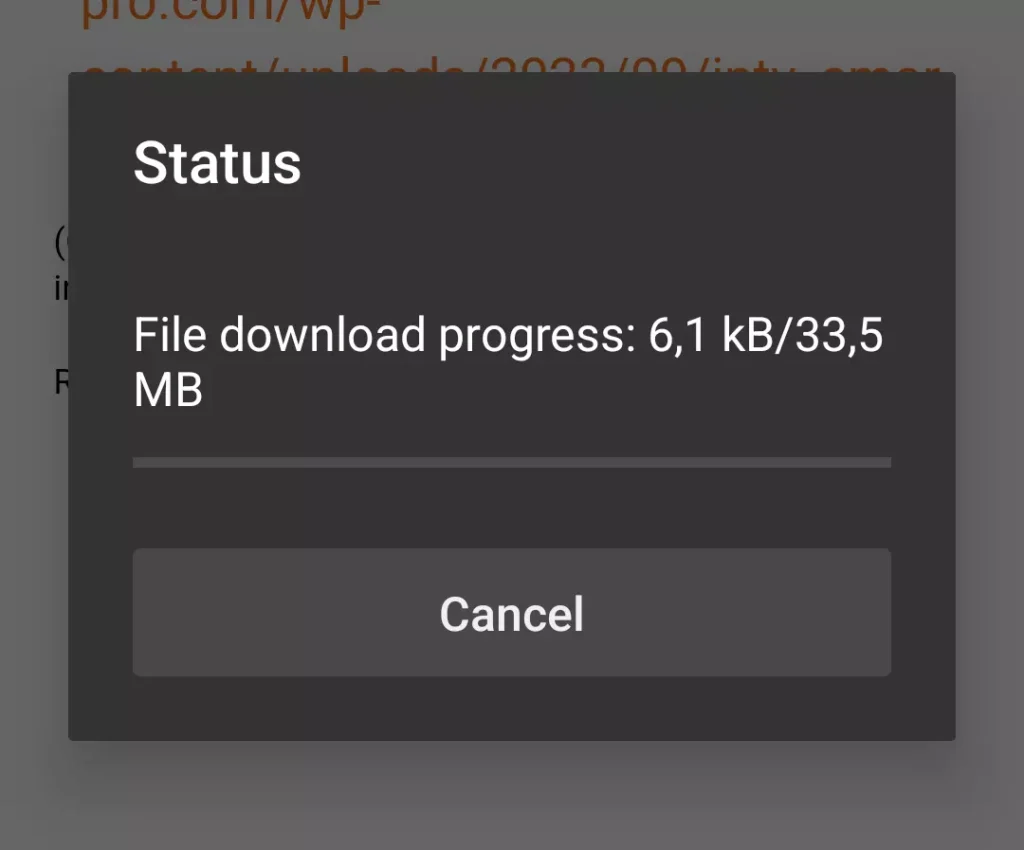
5.  Wait for the app to download.
How to Install IPTV 8K Player on Amazon Firestick Android TV Google TV Chrome Cast subscription abonnement
How to Install IPTV 8K Player on Amazon Firestick Android TV Google TV Chrome Cast subscription best gold
How to Install IPTV 8K Player on Amazon Firestick Android TV Google TV Chrome Cast subscription downloader

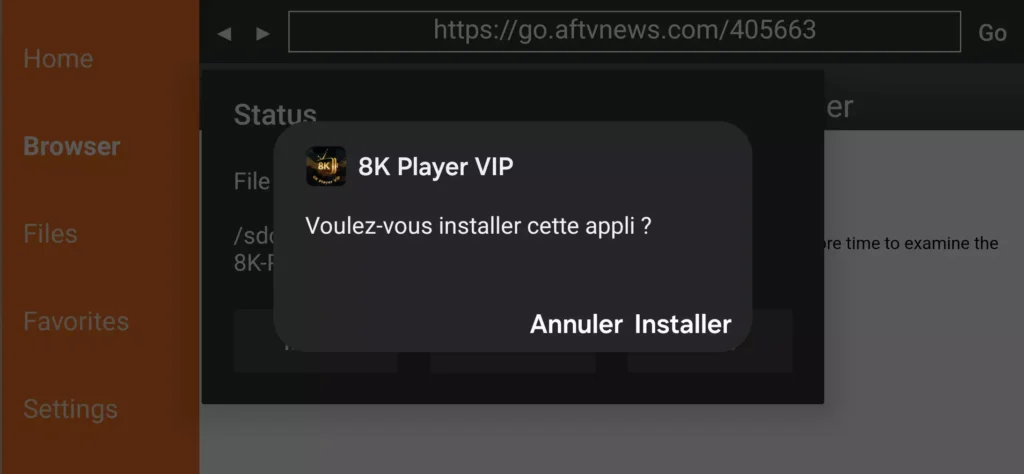
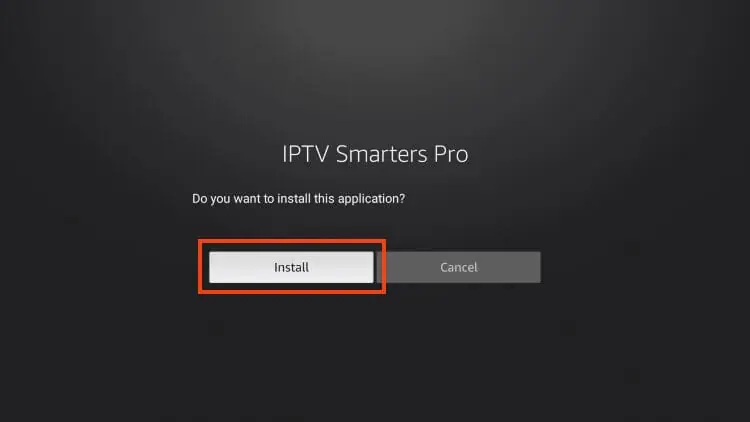
6.  Click Install.

How to Install IPTV 8K Player on Amazon Firestick Android TV Google TV Chrome Cast subscription best premium

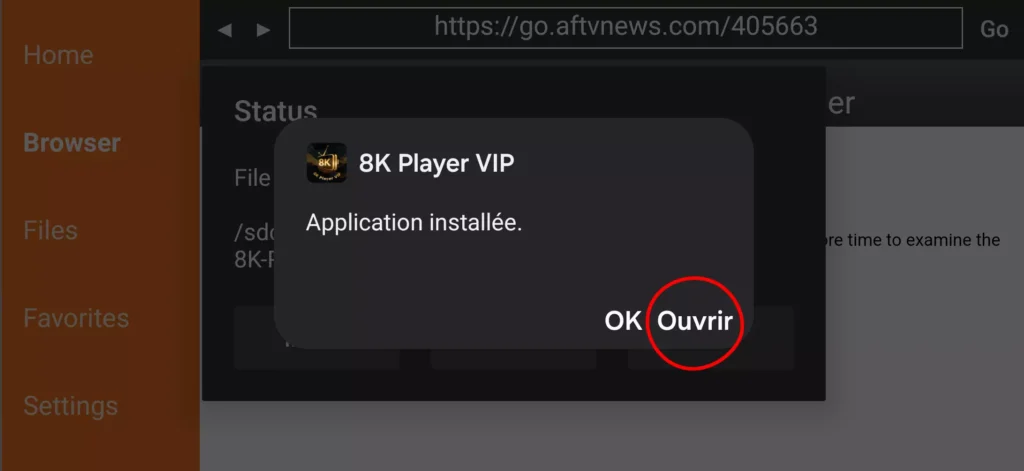
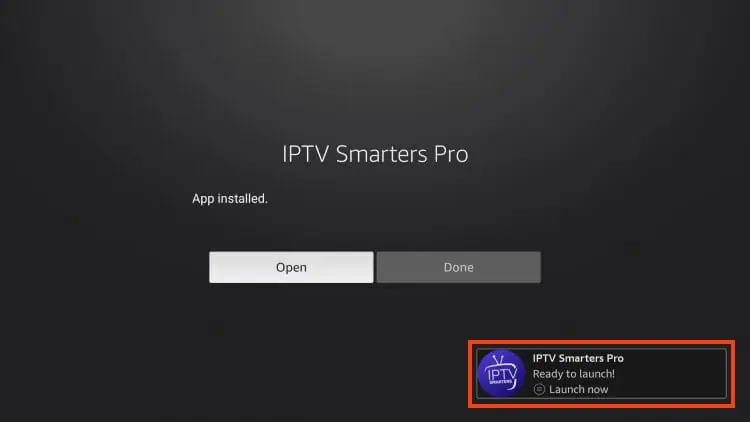
7.  The application is installed


Step 4 – How to configure IPTV 8K Player

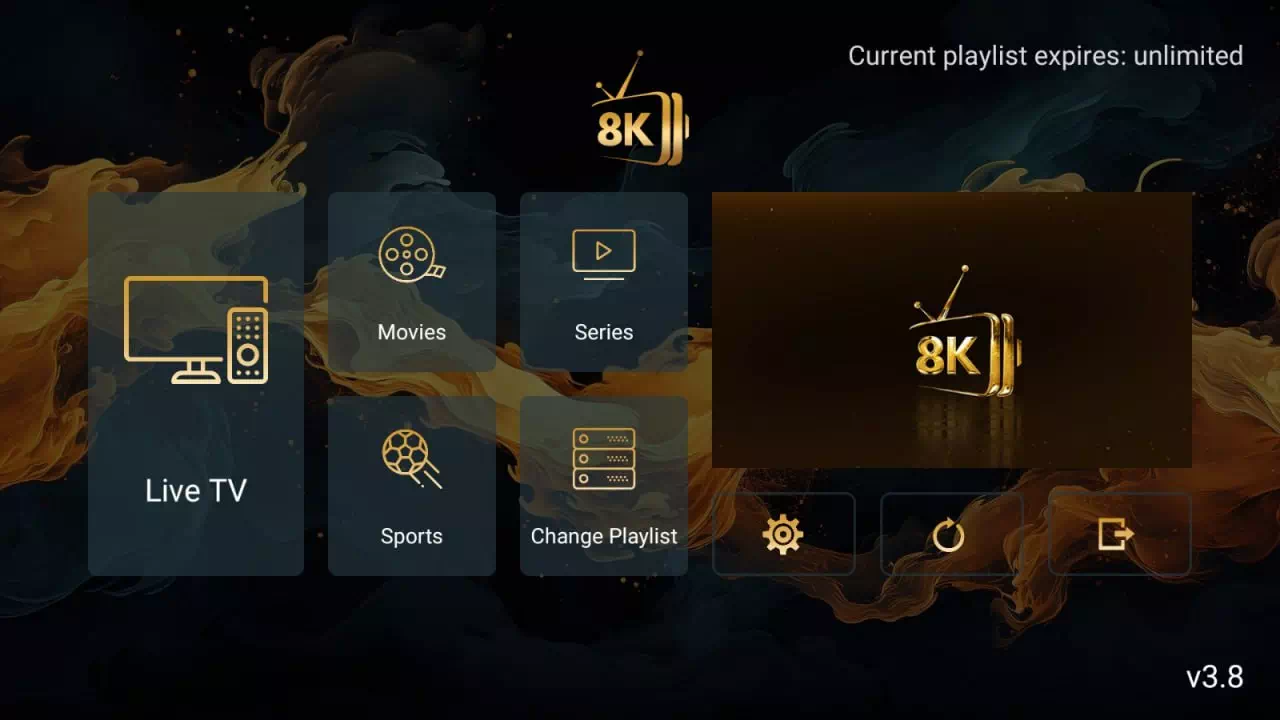
After installation, you can launch the application to use it.

How to Install IPTV 8K Player on Amazon Firestick Android TV Google TV Chrome Cast subscription abonnement

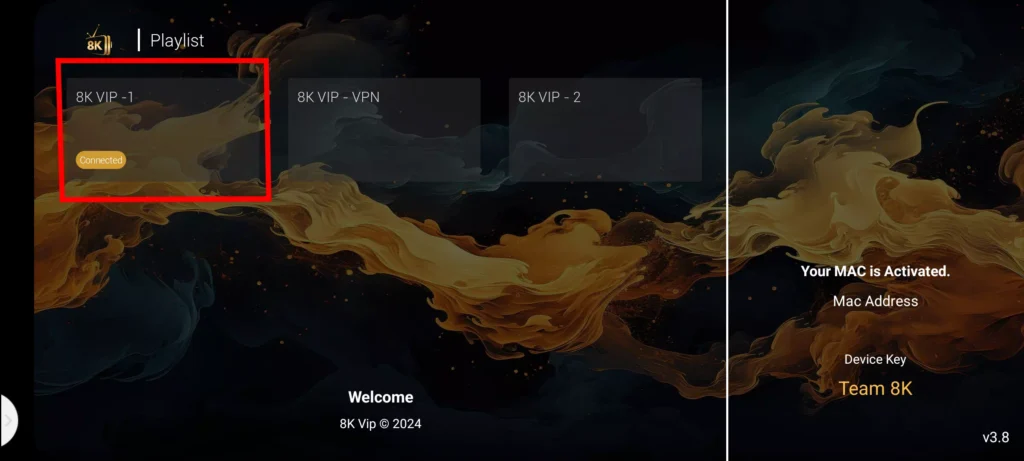
1. Click on 8k VIP

How to Install IPTV 8K Player on Amazon Firestick Android TV Google TV Chrome Cast subscription

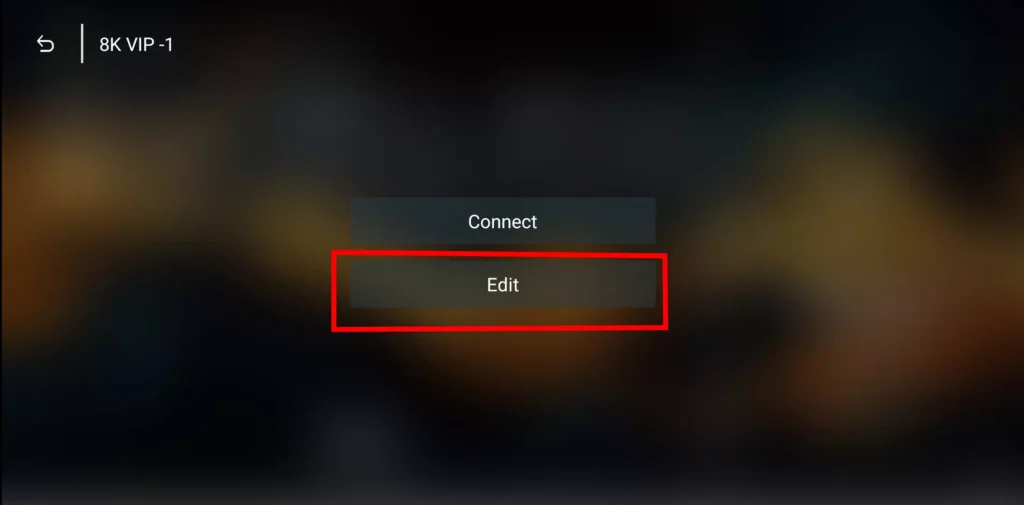
2. Click Edit

How to Install IPTV 8K Player on Amazon Firestick Android TV Google TV Chrome Cast

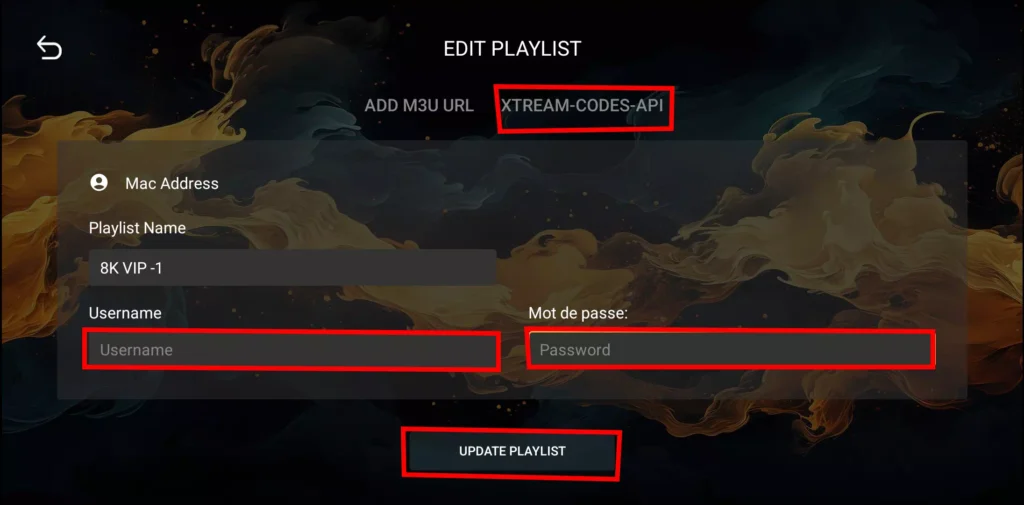
3. Enter the account information and click Add User.

How to Install IPTV 8K Player on Amazon Firestick Android TV Google TV Chrome Cast subscription apk home

The following guide will show you how to install IPTV Smarters pro for free on Firestick, Fire TV and Android TV Google TV devices.

We provide a screenshot guide along with setup instructions and tips to help you get the most out of it on your favorite device.

The app alone does not contain live channels for streaming, however, users can request a Free 24h test from us via WhatsApp by clicking here

Step 1 – Prepare your streaming device

1.  From your device’s home screen, hover over the Search button, and then click the Search box.

prepare firestick android tv for TiviMate IPTV Player 1.jpg

2.  Find and select Downloader .

prepare firestick android tv for TiviMate IPTV Player 2 install iptv Smarters Pro code downloader

3.  Choose the Downloader app.

install iptv Smarters Pro code downloader how install

4.  Click Download or Get if the application is not yet downloaded. If you have already installed the Downloader application, go directly to step 2

prepare firestick android tv for TiviMate IPTV Player 4 install iptv Smarters Pro

5.  Wait for the app to install.

prepare firestick android tv for TiviMate IPTV Player install iptv Smarters Pro code downloader

6.  You will get the message   Downloader Ready to launch!

install iptv Smarters Pro code downloader how


Step 2 – Allow Downloader to install the IPTV Smarters Pro application

1.  Return to the Home screen to hover over Settings and click My Fire TV.

developer options setting removed by amazon 3 install iptv Smarters Pro code downloader

2.  Choose Developer Options.

IMPORTANT:  Please see the notes below if you do not see the developer options on your screen.

install iptv Smarters Pro code downloader test

3.  Click Install unknown apps.

install iptv Smarters Pro code downloader unkown

4.  Find the Downloader app and click on it.

install iptv Smarters Pro code downloader onprepare firestick android tv for TiviMate IPTV Player 10.jpg

5.  This will enable unknown sources for the Downloader app and enable sideloading on your device.

install iptv Smarters Pro code downloader prepare firestick android tv for TiviMate IPTV Player 11.jpg

If Developer Options were not available in step 2 follow the next steps. otherwise go to step 3

If you are unable to locate Developer options in Settings, follow the instructions below to enable using the Downloader app.

1.  Mouse over the Settings icon and click  My Fire TV  .

developer options setting removed by amazon 3 install iptv Smarters Pro code downloader

2.  Click  About  .

Note:  Note that the developer options are missing.

developer options missing on firestick 2 install iptv Smarters Pro code downloader

3.  Hover over  Fire TV Stick and click  the OK button on your remote 7 times to become a developer.

developer options missing on firestick 3 install iptv Smarters Pro code downloader

4.  Click the Back button on your remote and you will notice that Developer Options are now displayed in My Fire TV.

install iptv Smarters Pro code downloader test

5.  Click Install unknown apps.

install iptv Smarters Pro code downloader unkown

6.  Find the Downloader app and click on it.

install iptv Smarters Pro code downloader onprepare firestick android tv for TiviMate IPTV Player 10.jpg

7.  This will enable unknown sources for the Downloader app and enable sideloading on your device.

install iptv Smarters Pro code downloader prepare firestick android tv for TiviMate IPTV Player 11.jpg

Now that I have properly prepared my Firestick, it’s time to move on to the next step.


Step 3 – Download and Install IPTV Smarters Player Pro

1.  Launch the Downloader app.

install iptv Smarters Pro code downloader how install

2.  Hover over the URL bar and click the select button on your remote

how to install tivimate 2.jpg

3.  Type download code  

78522
or
http://aftv.news/78522

and click Go.

install iptv Smarters Pro code downloader 1

4.  You will then encounter a redirect page. wait 6 seconds if the download does not start click on the link

installer iptv smarters fire stick downloader gratuit

5.  Wait for the app to download.
installer iptv smarters fire stick downloader gratuit amazon

6.  Click Install.

IPTV Smarters on Firestick 7.jpg 1

7.  The application is installed

IPTV Smarters on Firestick 8.jpg


Step 4 – How to configure IPTV Smarters Pro

After installation, you can launch the application to use it.

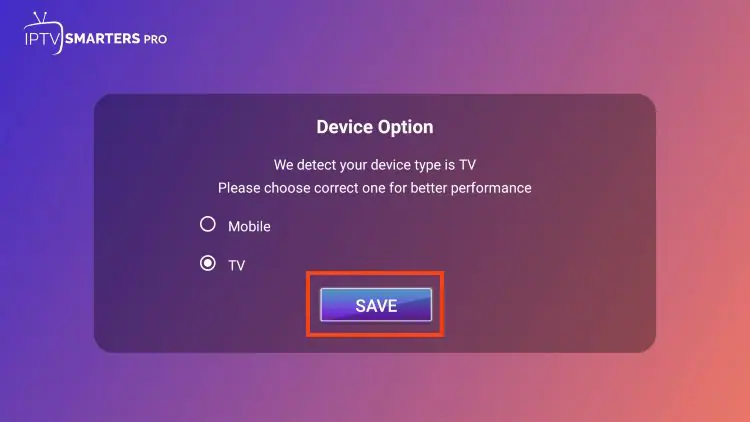
First, you are asked to select your layout.

1.If you are using a streaming device such as Firestick or Android TV/Google TV, select TV and click SAVE.

installer iptv smarters fire stick downloader gratuit tv

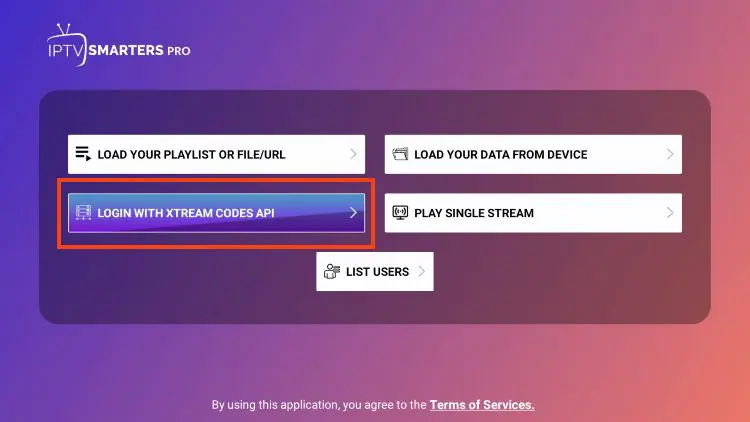
2. Choose Connect with Xtream Codes API

installer iptv smarters fire stick downloader gratuit code

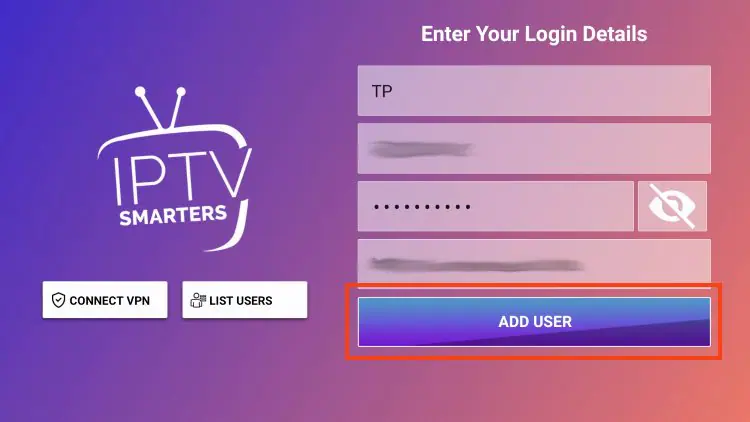
3. Enter the account information and click Add User.

installer iptv smarters fire stick downloader gratuit pro amazon

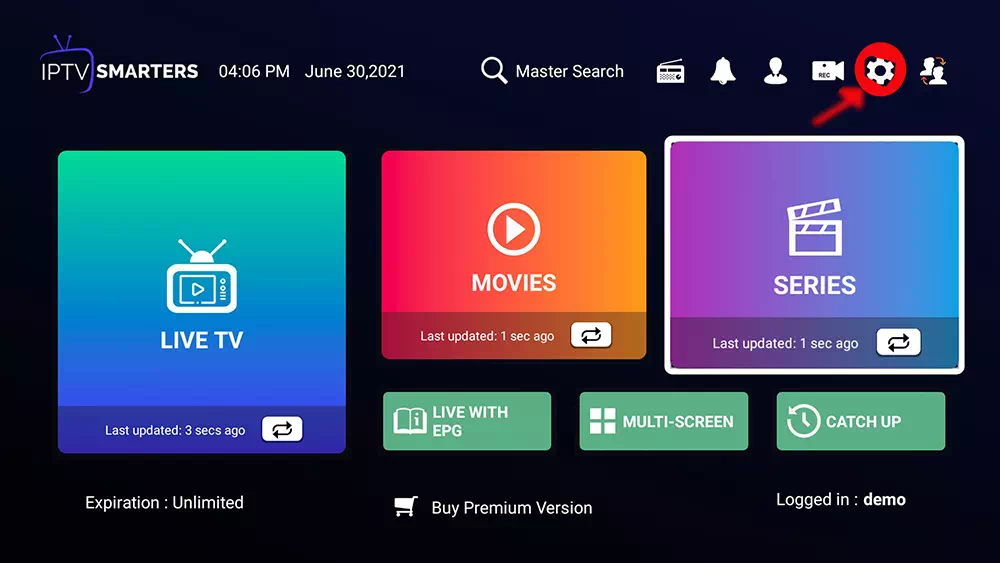
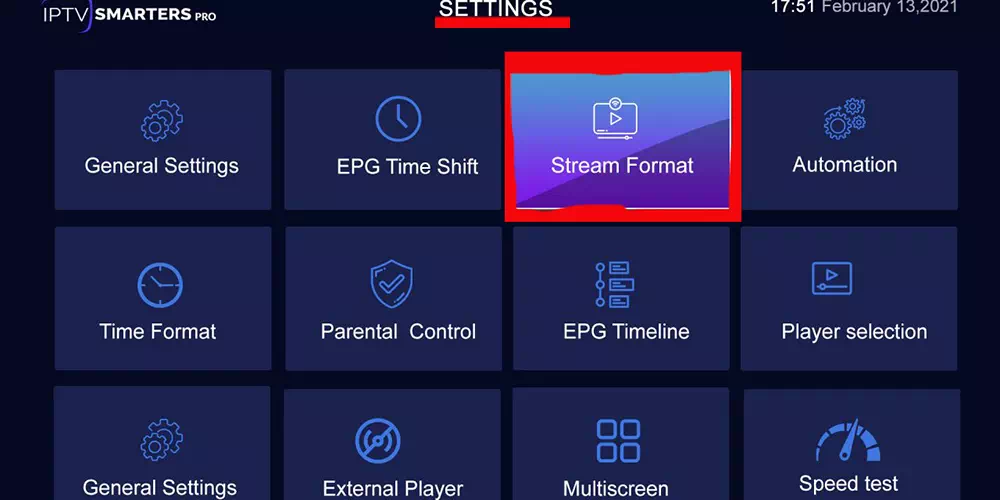
4. after connection do this check if you have a problem

dashboad
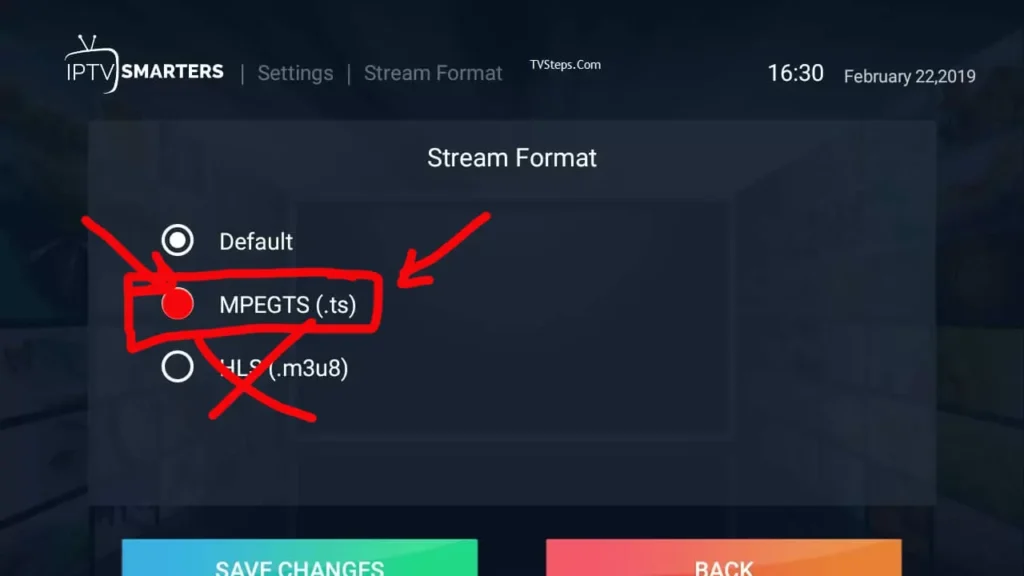
iptv format stream
stream format


Available now on Samsung

The app alone does not contain live channels for streaming, however, users can request a Free 24h test from us via WhatsApp by clicking here

Features:

– Fast response time.

– Multi subtitles support.

– Multi audios support.

– Continue watching.

– Favorite list.

– Parental control.

– Quick search in all categories.

– Support multiple playlists.

– Support m3u & XtreamCode.

– All World Wide Languages.

Downloader Code
⬇️
http://aftv.news/527403

or : 527403

1. Launch Downloader (or try to download it).

2. Click on the URL bar with to open the keyboard. click the select button over the url bar.

3. Type the Downloader Code: 527403 and click Go.

4. You will then see a redirect page.

5. Wait for the application to install.

6. Click Install.

7. You will then encounter Ready to launch! message.

8. Click Done.

9.You can then delete the install file. This will free up space on your device. Click Delete.

1. Open the App Store on your device and search for BOB Player.

Logoor

Downloader Code
⬇️
http://aftv.news/815778 

or : 815778 

1. Launch Downloader (or try to download it).

2. Click on the URL bar with to open the keyboard. click the select button over the url bar.

3. Type the Downloader Code: 815778 and click Go.

4. You will then see a redirect page.

5. Wait for the application to install.

6. Click Install.

7. You will then encounter Ready to launch! message.

8. Click Done.

The app alone does not contain live channels for streaming, however, users can request a Free 24h test from us via WhatsApp by clicking here

facebook-messenger-icon-min

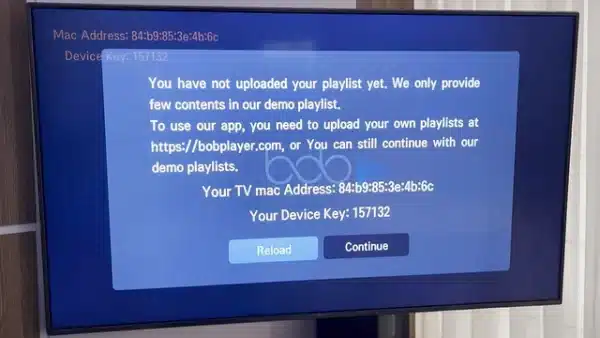
2. Now open the app and activate it using the device ID and device key on the website provided in the app.

How to setup IPTV on bob player on Firestick using downloader app - Beste IPTV Anbieter

3. Now go to the website https://bobplayer.com/login and enter the Mac address (Device ID) and the device key (Device Key).

4. Select the M3u link or Xtream code to upload your data. The data will be sent to your email address.

5. Restart your app and enjoy!

Step 1 – Download the Correct App

  • Go to your Samsung or LG App Store.

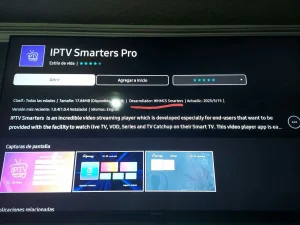
  • Search for “IPTV Smarters Pro”.

  • ⚠️ Important: There are many fake versions of this app.

    Make sure the Developer is WHMCS Smarters (see screenshot below).

Step 2 – Choose Login Method

  • When the app opens, select XTREAM Codes API (recommended).

  • This avoids entering long m3u links manually.

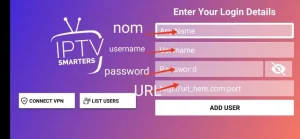
Step 3 – Enter Your Details

  • Fill in the login details we emailed you:

    • Playlist Name → You can type any name, e.g., IPTV

    • Username

    • Password

    • Server/Portal URL

  • Press ADD USER to connect.

✅ You are now ready to start watching Live TV, Movies, and Series with Smarters IPTV!

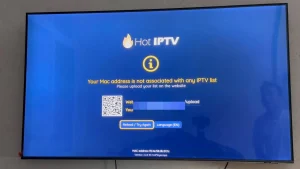
1. Open the App Store on your device and search for Hot Player, or download directly from app website: https://hotplayer.app/

2. Within the Hot Player app, go to the settings or profile section, You will find your Mac Address Code displayed within the app.

3. Now go to the website: https://hotplayer.app/upload

and enter the Mac address (Device ID).

4. Select the M3u link. The data will be sent to your email address.

5. Restart your app and enjoy!

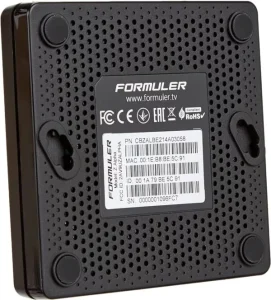
1. Go to the back of your Formuler Z where the Mac ID is indicated.

2. Make sure you provide us with the Mac ID when ordering your package. Mac ID usually starts with 00:1A…

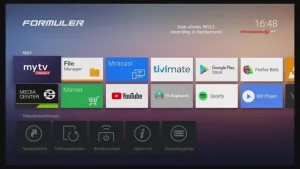
You can also find it on the MyTvOnline app.

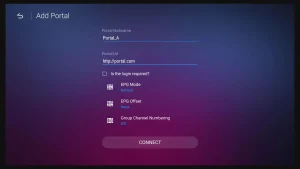
3. Once we receive your order with the Mac ID, we will send you the portal URL. Make sure to enter the portal URL in the MyTvOnline app (no username or password required).

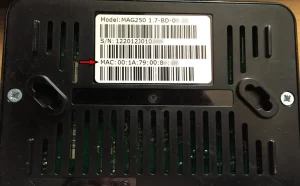
1. Go to the back of your Mag where the Mac ID (Or Mac Address) is indicated.

2. Make sure you provide us with the Mac ID when ordering your package. The Mac ID usually starts with 00:1A….

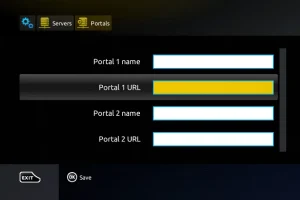
3. Go to Settings, then System Settings, then Servers, Then Portal.

4. Enter the portal URL that we emailed you.

After completing all the above steps, press “EXIT” on the remote twice to restart the gate. Now everything is ready to watch live TV…

Smarters IPTV Watch TV Anytime & Everywhere

IPTV Germany provides a live TV subscription and a seamless streaming experience allowing you to enjoy live TV channels, movies, series, and on-demand content from IPTV Deutschland service providers.

Frequently Asked Questions

To install and use IPTV, you need the following items: Internet connection at least 50 Mb . A Smart TV that works, android or Phone..


Nothing : We will Contact you at to your (WhatsApp – Email ) as soon as possible after verifying your payment.


This IPTV service is available for installation on any device that runs the Android operating system. This includes the Amazon Firestick, Fire TV, and any Android device.


This IPTV service has over 25,000 Channels in several categories including news, entertainment, sports, international, and more.


For the Payment of your subscription we only accept Payment via Credit Card, PayPal, Cryptocurrencies Or Direct Bank Transfer


Contact us in WhatsApp For Get 24 hour Free Trial Account For Try Our Service Before You Pay.